FlyUX
Flight Booking Process of New Airline
The Opportunity
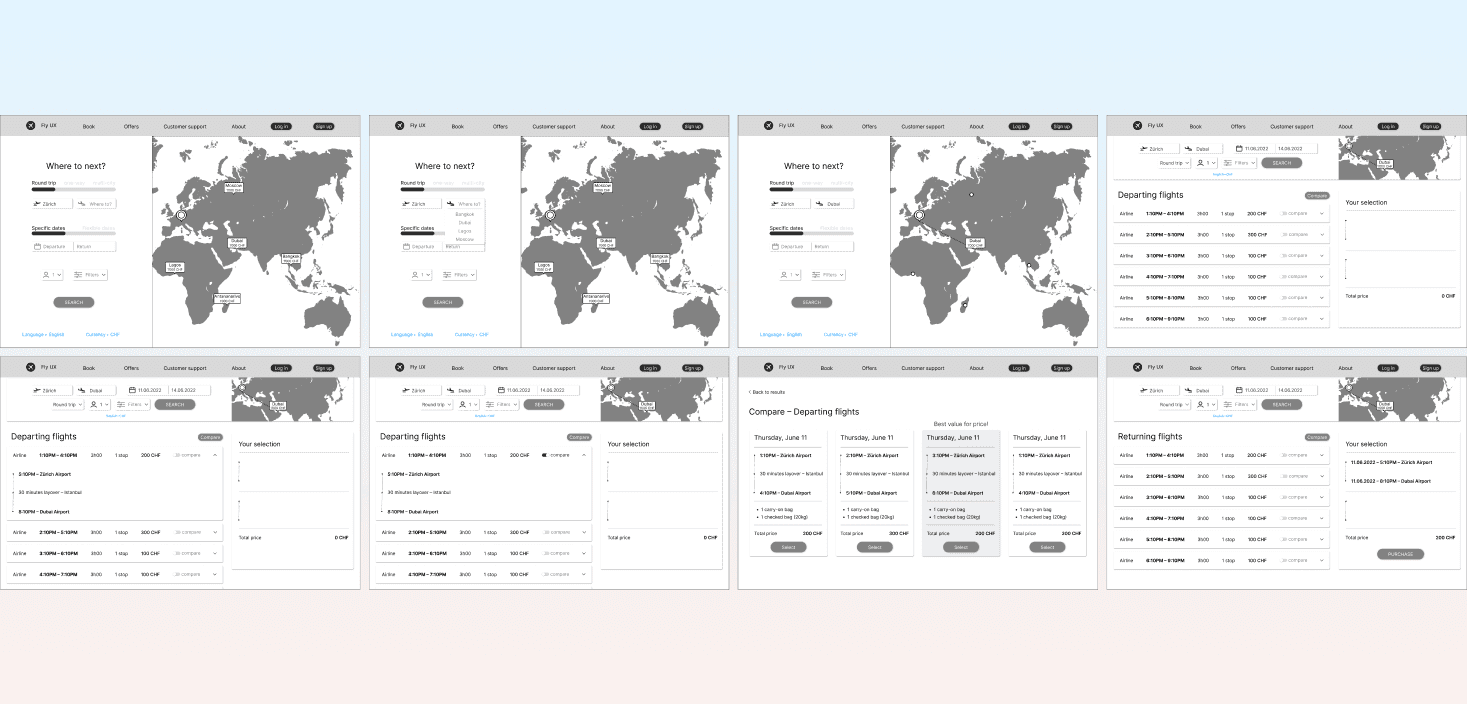
As part of my UX Design Diploma, I did a case study of fictional airline named Fly UX, designed, and prototyped its website. The airline’s aim is to gain a competitive advantage by providing an efficient and intuitive online booking experience, through user experience design.
Design Approach
Understanding users needs through UX Research
Developing user-friendly booking process
Design user-centered website wireframe
Project Specifications
My Roles:
UX Researcher
UX Designer
Deliverables:
Competitive benchmark
User surveys
Usability test
User personas
Affinity diagram
Consumer journey map
Flow diagram
Low-fidelity sketch
Mid-fidelity prototype
Hand-over wireframe
Duration: 8 months
Tools:
Figma
Illustrator
Photoshop
InDesign
Premiere Pro
Google Suite
Research
Competitive Benchmark
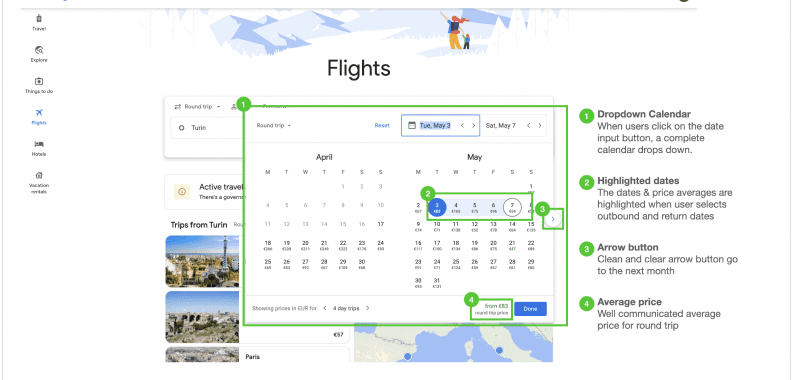
I started the assignment by researching the best airline websites. I identified the best practices and conventions to consider for this project.
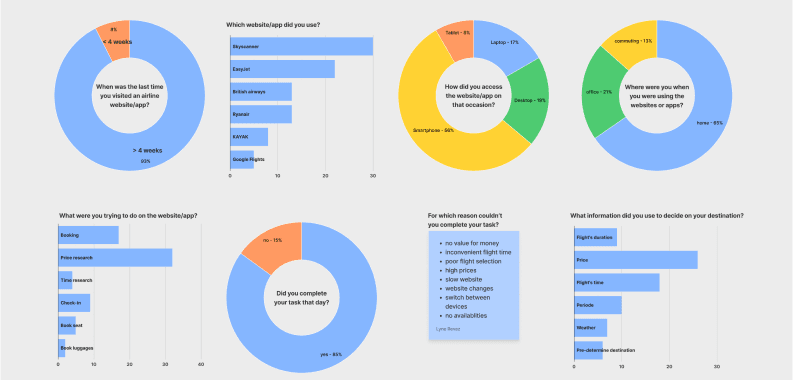
Survey Diagram
I developed an online survey and gathered significant insights - both quantitative and qualitative data - to better understand how people interact with airline websites.
User Testing
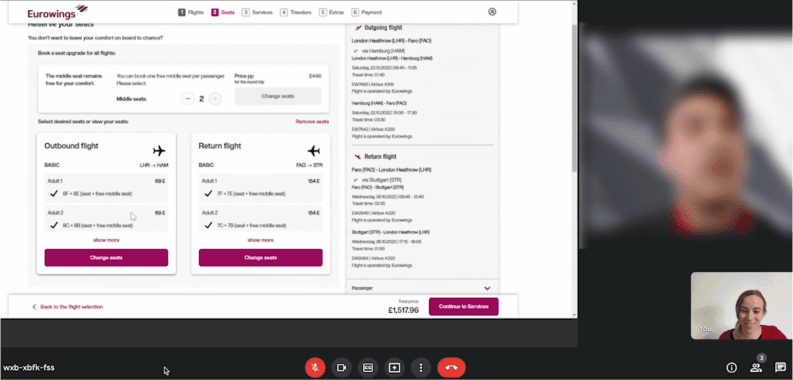
Due to the epidemic, I conducted the user testing remotely. A recruiting screener, consent form, and test script were all produced prior to the interview. During the session, two different airline websites were tested. The usability testing offered extensive qualitative insights into the booking process as well as additional information about the users' experiences.
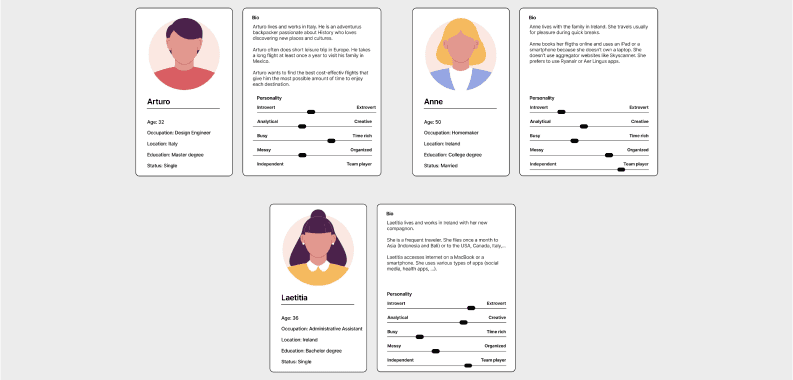
User Persona
Design screens that highlight groups of loans, as well as individual ones, and a checkout path for investments
Take loan seekers from an introduction to an application sequence that can be completed in a minimal number of screens
Mirror the Venmo payment process where users are prompted to post their transactions on the social feed
Analysis
Affinity Diagram
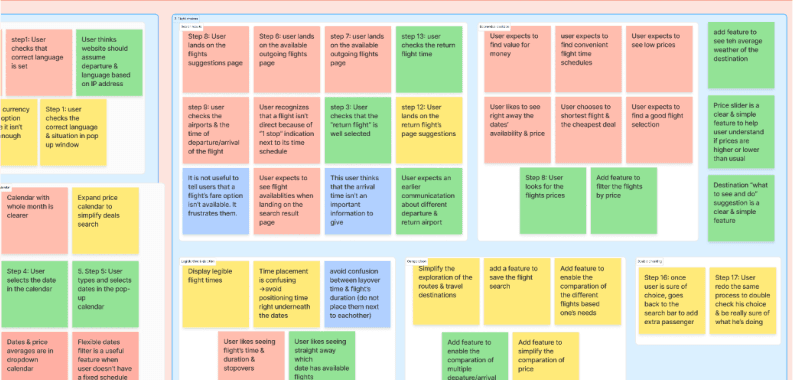
Following the UX Research, I assessed all of the insights from the competitive benchmarking, surveys, user persona and usability test into an affinity diagram. It is a great method to sort large amount of data.
Customer Journey Map
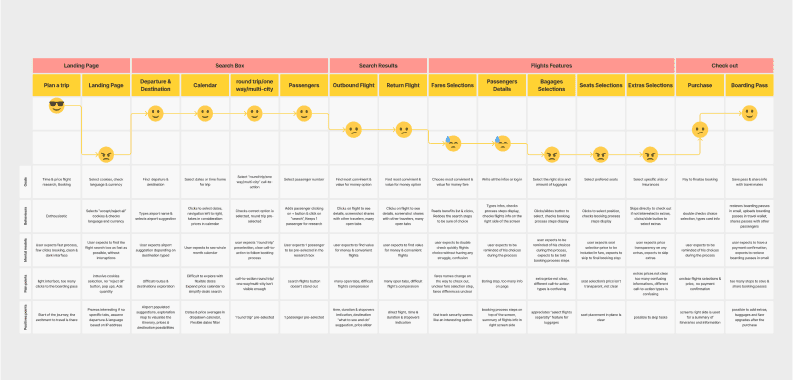
The next step was to identify the user pain points in the booking process and map the journey chronologically.
Key Findings
Wish getting best deal
Concern about hidden costs
Confusion throughout booking stages
Uncertainty over flight fare meaning and luggage selection
Incertitude over flight details
Design
Flow Diagram for Desktop
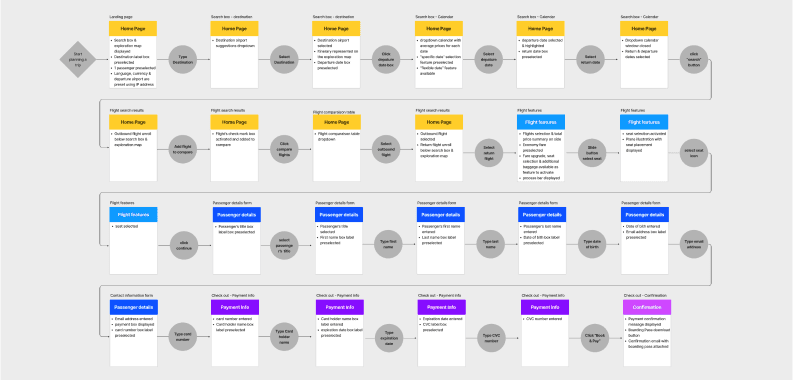
I started the design phase by establishing the desktop user flow, considering each user tasks, and limiting the number of screens required to complete the booking.
Low-fidelity Prototype
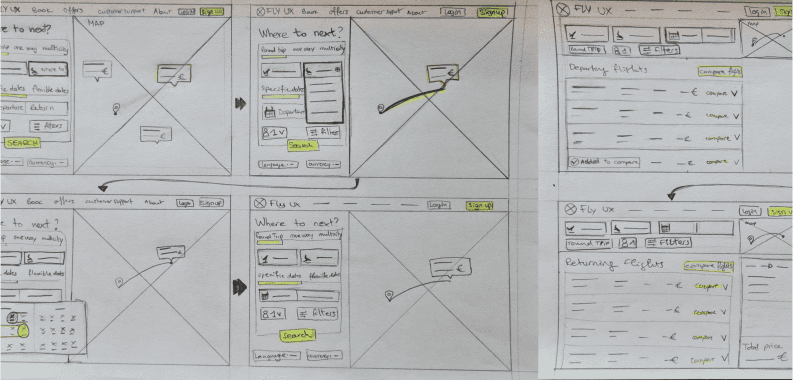
Following the user flow, I gathered all of the analysis data for sketching the screen states of the design , tackling the current booking process issues of airlines sites. Sketching is a quick and cheap approach to represent ideas. It is a necessary stage before further prototyping.
Mid-fidelity Prototype
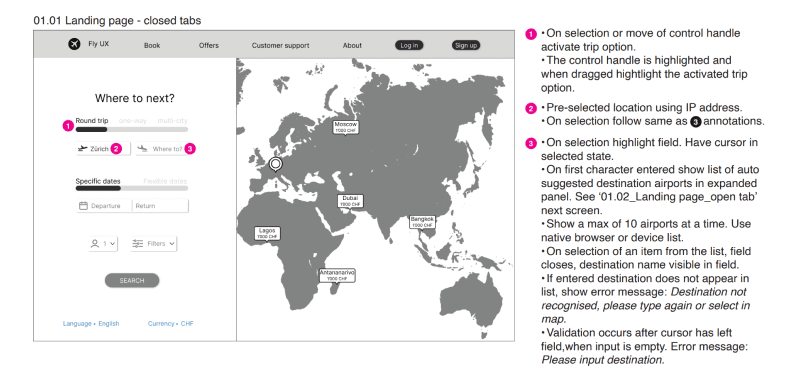
The solution was defined through the flow diagram and screen states sketches. The following stage was to develop a Mid-fidelity prototype to test the design.
Hand-over Wireframe
Finally, I created the complete hand-over wireframe ready-to-use for the developer, as well as documents describing the website's Information Architecture and User Flows.
© 2025 · Lyne O-R